Month and day planner
Each space opens on the month, with the chosen day’s hours beside it and its tasks and lists close by. An overview gathers what’s coming up.

Community · Shared plans · Version 0.7.5
Calendars, tasks, files and conversations for your people. Private, invite-only spaces on a server you control.
Grove 0.7.5 sets minimum key strengths for HTTPS certificates and SFTP backups, installs its Python packages from a hash-locked list, and carries its build attestation as a release file. Release archives are still verified before installation changes the server. Read the release notes.
Inside the Grove
Plan your day. Keep everyone in the loop.
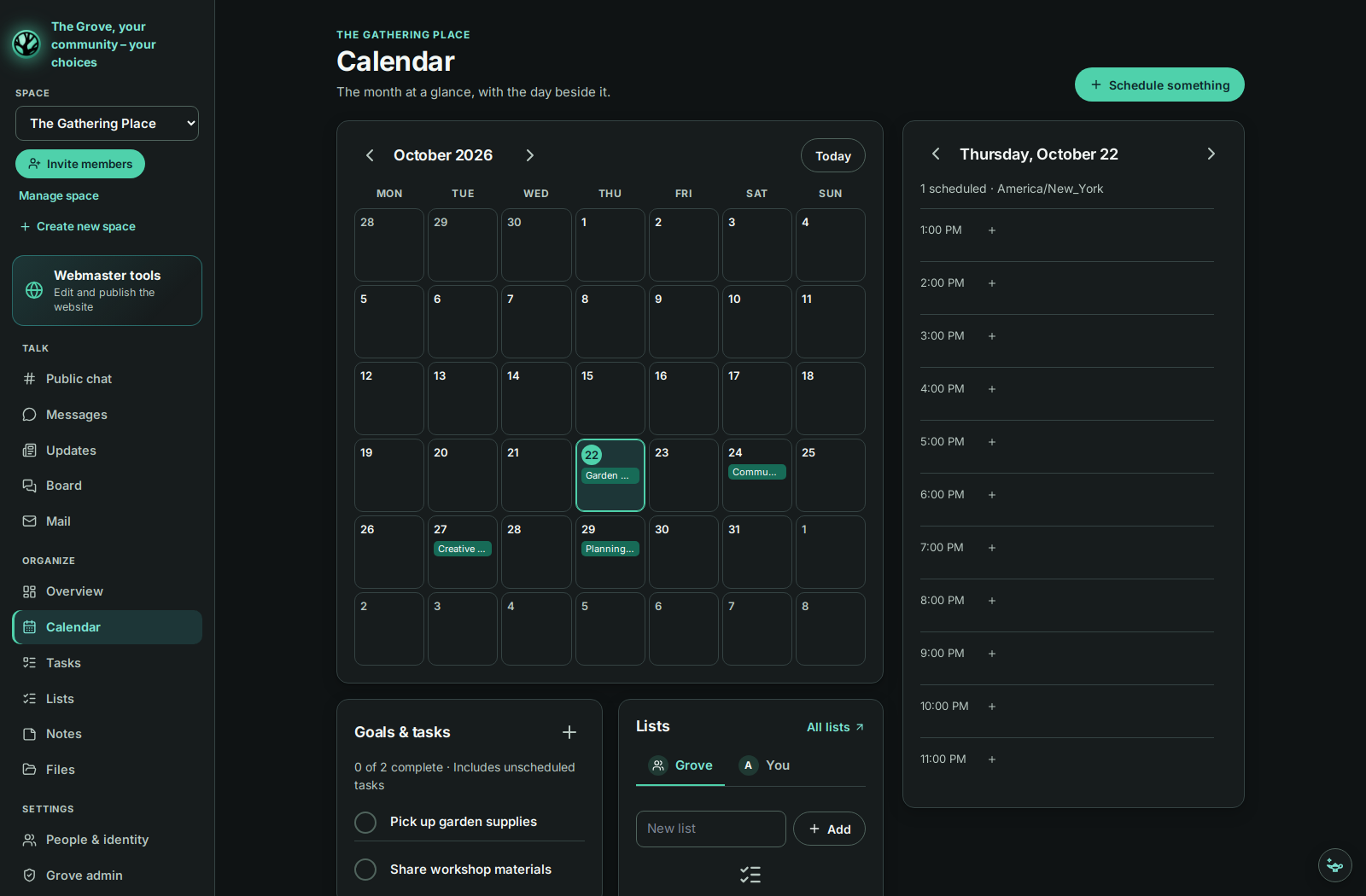
The month, your day, and the tasks that bring it together.
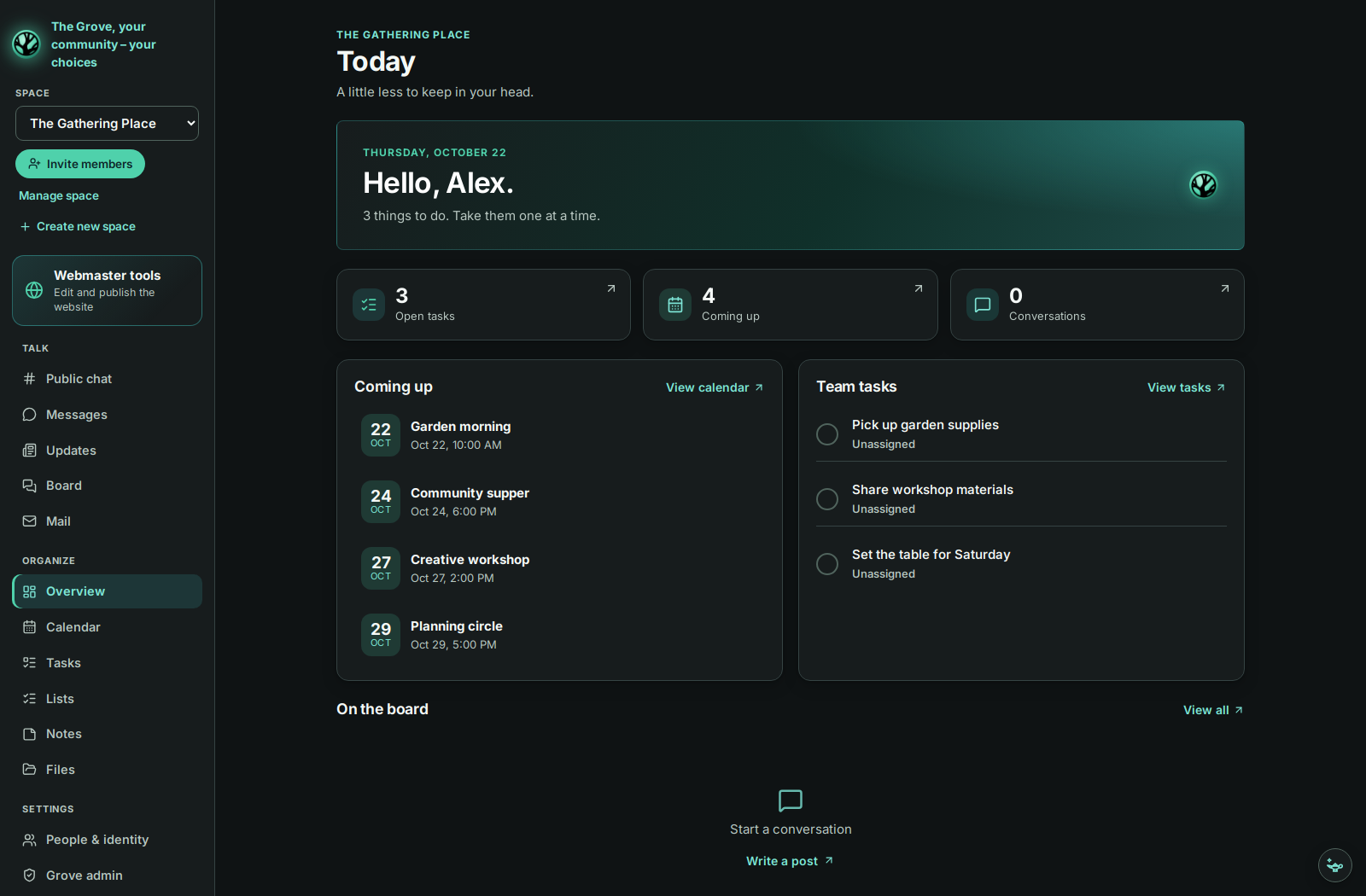
Upcoming plans and shared tasks, gathered in one overview.
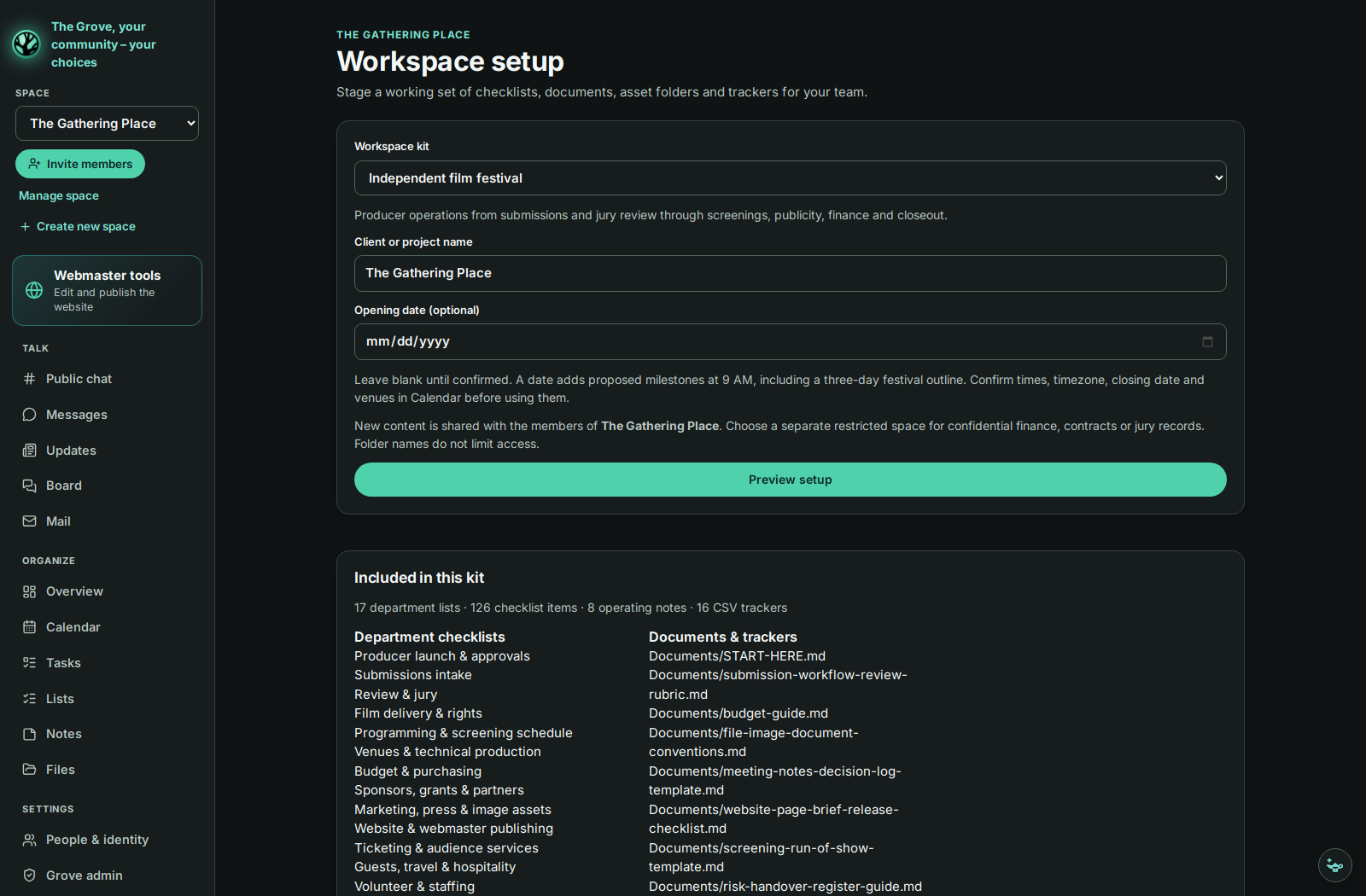
Workspace setup for creative projects, teams and events.
Grove 0.7.2 with sample content. Open an image for a closer look.
Everything in one space
Shared plans, everyday tasks and room to talk.
Each space opens on the month, with the chosen day’s hours beside it and its tasks and lists close by. An overview gathers what’s coming up.
Household tasks with assignments and due dates, shopping and other shared lists, and private notes.
A shared board with replies and search, and each space’s Updates log for news. A Grove can give the log its own name.
Private Messages with anyone you share a space with, photos and files included; owners and managers can’t read them. When a Grove names an IRC room, every member can join it with a nickname of their own.
The first account is the host. Space owners invite people with single-use links that expire after seven days, or a public invite link they can replace or turn off.
A change by anyone reaches every open page in the space within about a second, without reloading.
Folders and uploads of up to 2 GB in every space, with earlier versions and a 30-day trash. Text files open in an editor, and HTML pages preview as you type.
Owners appoint managers and members, and see every space, disk use and an activity log of who did what. Wishes from the lamp in the corner land here too.
A Grove can carry its group’s name, tagline, logo, website and shop links, and a full colour theme, with readable contrast worked out automatically.
Space owners stage a film festival or client project: department checklists, operating notes, folders and empty trackers.
Owners and their chosen webmasters import, edit, preview and publish a website at the Grove’s own address, with earlier versions available to restore.
The host also gets Mail over IMAP and SMTP, and a full IRC client in Public chat (irc.arynwood.com by default).
Privacy and security
Everything lives on the Grove’s server or computer: one database and a folder of files. Back it up, move it, or export a space whenever you like.
grove.sqlite3, with uploaded files in the data folder beside it, readable only by the Grove’s serviceInstall
Needs a VPS with Ubuntu 22.04+ or Debian 12+, and ideally a domain name whose A record points at it.
curl -fsSL https://github.com/Arynwood-Technology/arynwood-community/releases/latest/download/install.sh \
  | sudo bash -s -- --domain grove.example.com --email you@example.com
About two minutes later it prints a link with a one-time setup code. Open it and choose Create your Grove. The installer sets up HTTPS, daily backups and the arynwood-grove command for updates, rollback, off-server copies, more Groves on the same server and password recovery codes.
On your own computer
For trying it out, or for a household on one machine. Needs Linux or macOS, Python 3.10+, Node.js 20.19+ or 22.12+, and npm.
git clone https://github.com/Arynwood-Technology/arynwood-community.git
cd arynwood-community
./setup.sh             # creates .venv, installs dependencies, builds the page, creates .env
./start.sh             # then open http://127.0.0.1:8018/community
It only accepts connections from that computer. A Community 0.3 server upgrades in place with deploy/upgrade-from-community.sh, and takes later releases the same way. Using Arynwood MCP? Its Community page opens any Grove inside the desktop app; version 0.5.2 or later works with a Grove on 0.7.1 or later.
Questions
Who it’s for, where data lives and how people join.
Households, families, clubs and small teams who want plans, lists and conversations in one place. Event organizers can coordinate dates and tasks; teacher planning groups can share notes, files and discussion while keeping control of their server.
Grove provides shared planning and communication tools. It is not presented as a learning management system or student records system. A teacher planning group can use calendars, tasks, notes and files; any school deployment needs its own review of access, hosting and data requirements.
Arynwood Open Knowledge is a separate project in development for educational and special education research, source provenance and citations. It has not been released yet.
By invitation. A space owner sends a single-use link that expires after seven days, or shares the space’s public invite link, which the owner can replace or turn off. To join Arynwood’s own Grove, request an invitation by email.
On the Grove: one SQLite database and a folder of files on its server or computer, readable only by the Grove’s service. A server install keeps 14 daily copies, and can copy everything off the server each night. IRC settings and your last-chosen space stay in each person’s browser.
Yes. Arynwood MCP’s Community page opens your Grove inside the desktop app: the one on your computer, or one on a server by its https:// address. Since version 0.5.2 it has the screens from Grove 0.7.1, Messages, Public chat, Files and Webmaster tools included; use it with a Grove on 0.7.1 or later.
Yes. Arynwood Chat opens public rooms in your browser with no account, on the same IRC network a Grove’s IRC rooms connect to by default.
Yes. Hosting and setup can be scoped for a household, family, club or small organization. Get in touch for a quote.
Hosting & setup
Tell me about your group. I’ll help you choose the right setup.